

A localização empresarial requer frequentemente fluxos de trabalho offline. Quer precise de enviar 5.000 frases para uma equipa jurídica para revisão ou migrar memória de tradução legada de outro sistema, o MultiLipi fornece acesso completo de leitura/escrita aos seus dados linguísticos.
Este guia abrange os protocolos para Ingestão de Dados Externos (Importar) e Extração da Memória de Tradução (Exportar).
Ingestão de Dados (O Protocolo de Importação)
Melhor para: Atualizações em massa, migração de outras plataformas ou restauração de backups.
Pode substituir ou atualizar o seu índice de tradução ativo carregando um ficheiro estruturado.
Passo 1: Aceder à Camada Linguística
- Navegue até ao seu Painel de Controlo MultiLipi.
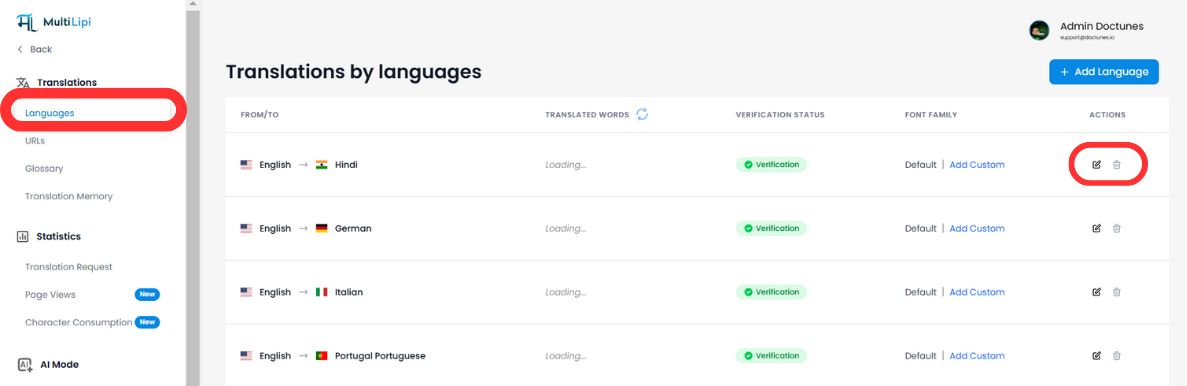
- Selecionar Traduções > Idiomas da barra lateral.
- Localize o par de idiomas específico que pretende atualizar (por exemplo, Inglês → Hindi).
- Clique no Ícone de Edição (lápis) para abrir a Memória de Tradução para essa localidade.
Passo 2: Iniciar Ingestão
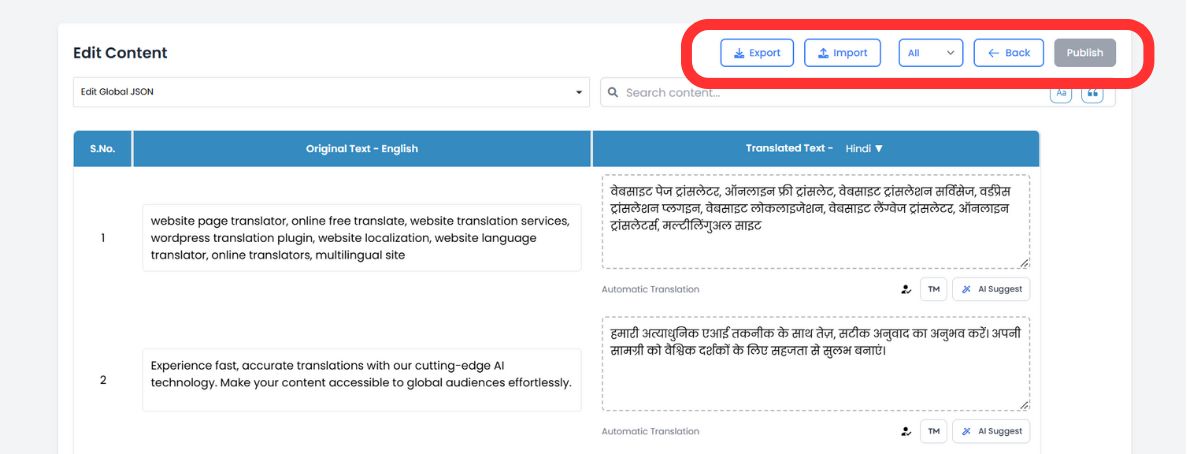
Na barra de ferramentas superior do editor, clique no Ícone de Importação.
Passo 3: Carregar e Configurar
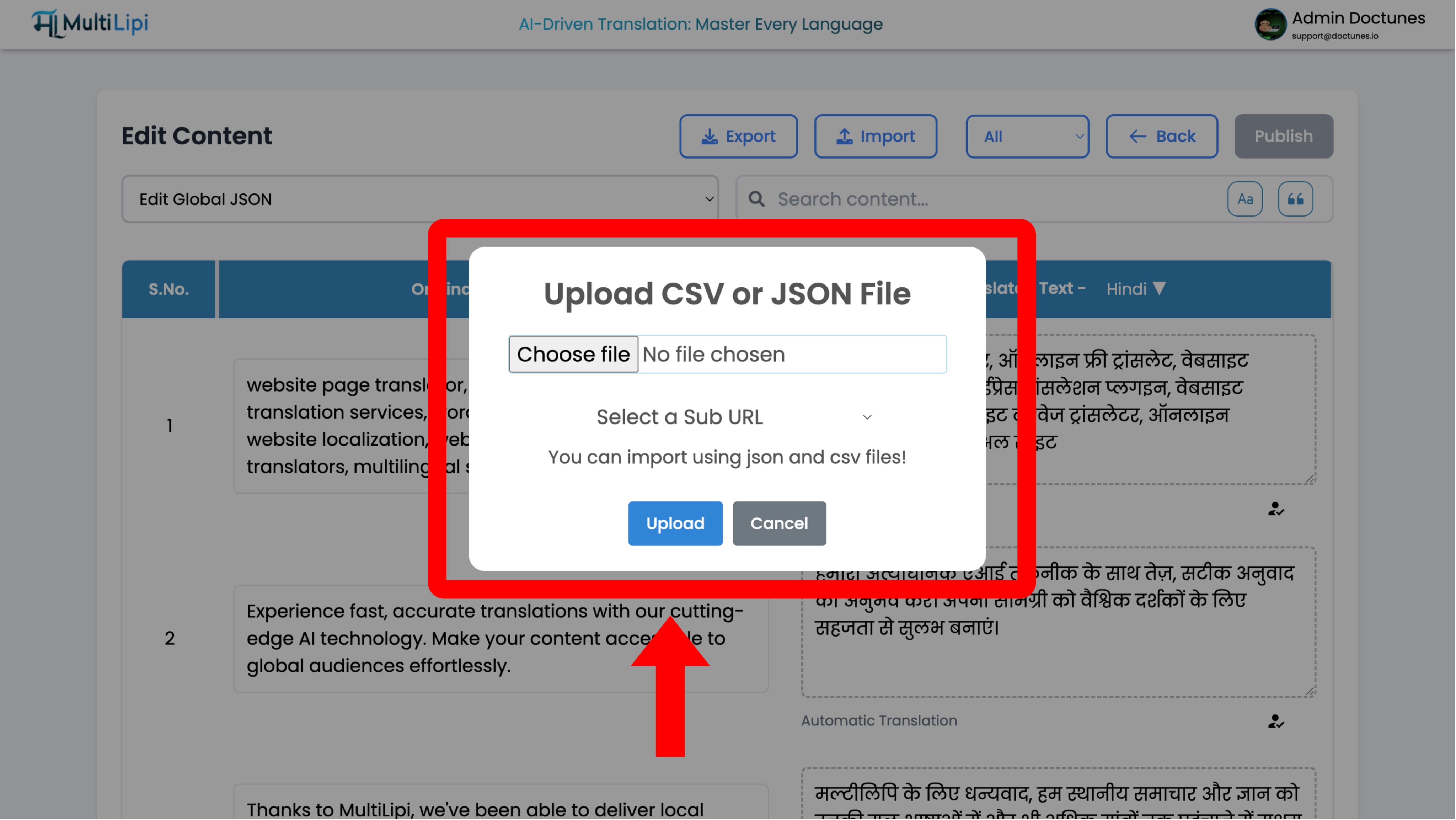
Aparecerá uma janela modal de configuração:
Seleção do Ficheiro
Carregue o seu .csv or .json ficheiro.
Definição do Âmbito
- •Global: Aplique estas traduções a todo o domínio.
- •Com Âmbito: Use o menu suspenso "Sub URL" para aplicar estas traduções apenas a uma página específica (por exemplo,
/precos).
Executar
Clique Carregar.
Ação do Sistema
O sistema analisa o ficheiro e atualiza instantaneamente a memória de tradução. As alterações em tempo real propagam-se imediatamente para a rede de borda.
Extração de Dados (O Protocolo de Exportação)
Melhor para: Auditorias offline, revisão humana profissional e backups de conformidade.
Os seus dados pertencem-lhe. Pode descarregar toda a sua memória de tradução a qualquer momento.
1. Aceder ao Editor
Navegue até ao mesmo Editor de Idiomas utilizado acima.
2. Executar Extração
Clique no Ícone de Exportação (ao lado de Importar).
3. Seleção do Formato
Escolha
.csv(para folhas de cálculo/Excel) ou.json(para desenvolvedores).4. Resultado
O sistema gera um ficheiro estruturado contendo todas as strings de origem e a sua tradução atual.
Casos de Uso Estratégicos
| Operação | Cenário |
|---|---|
| Auditoria Offline | Exporte a sua página "Termos Legais" para CSV e envie-a para o seu departamento jurídico para revisão no Excel. Importe o ficheiro aprovado de volta. |
| Revisão Profissional | Exporte o conteúdo traduzido automaticamente, envie-o para um tradutor humano certificado e ingira as suas correções em massa. |
| Estratégia de Backup | Execute exportações semanais para manter uma cópia de segurança local "cold storage" dos seus ativos de tradução. |