
Os modelos de tradução de IA são poderosos, mas podem ser Demasiado criativo. Um glossário funciona como um "Camada de Guarda-Mor," Forçar o motor de tradução a cumprir as regras específicas da sua marca. Quer seja para garantir "Maçã" permanece como marca (e não fruta) ou mantendo cláusulas legais literalmente, o Gestor do Glossário MultiLipi Dá-te controlo absoluto.
Este guia cobre os dois métodos para definir estas regras: Introdução Manual (Precisão) e ainda Ingestão de CSV (Granel).
Impor Consistência Terminológica Rigorosa
Os glossários sobrepõem-se às decisões de tradução por IA para manter a integridade da marca. Utilize-os para nomes de empresas, SKUs de produtos, termos legais, jargão técnico e palavras-chave de SEO de alto valor que devem manter-se consistentes em todas as línguas.
Acesso ao Termo Base
O Glossário é uma configuração global que se aplica a todos os teus projetos.
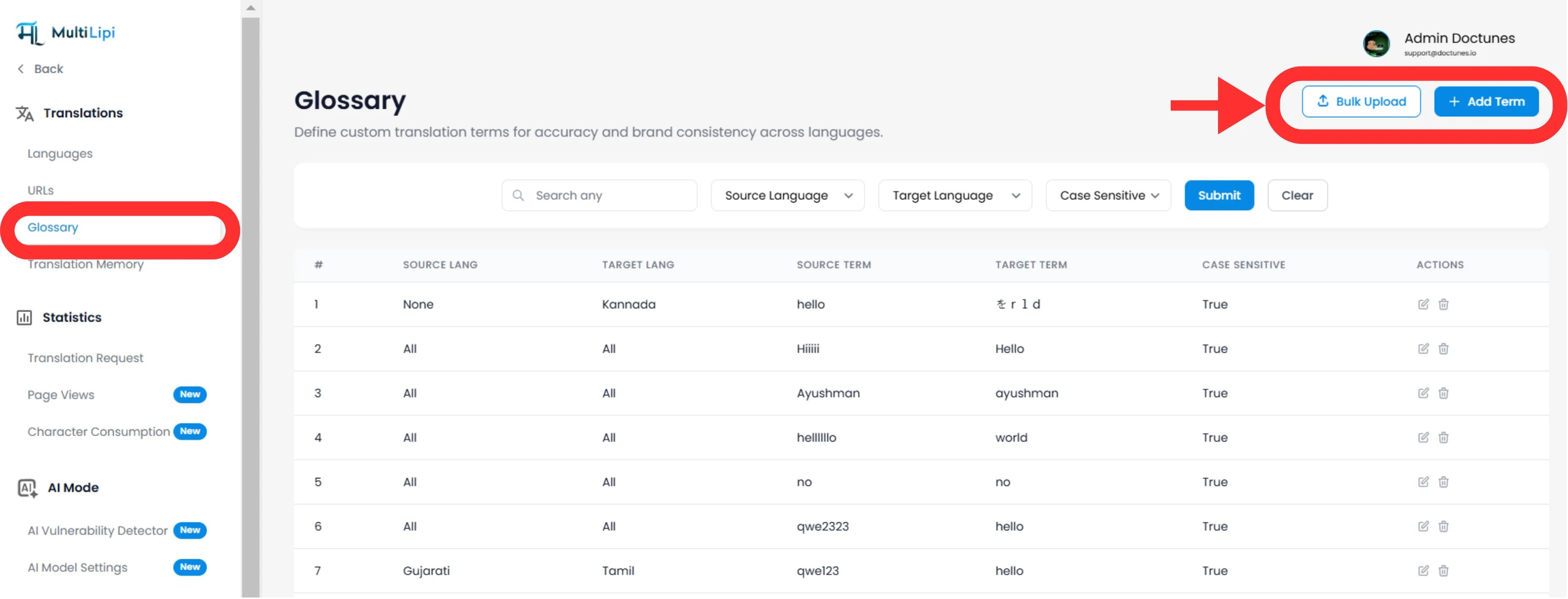
Navegar: A partir do seu Painel MultiLipi, expanda a Traduções menu na barra lateral.
Selecionar: Clique em Glossário.
Visualização: Verá uma tabela pesquisável com todas as regras ativas, os seus pares de linguagens e o estado da sensibilidade a maiúsculas minúsculas.
Método 1: Definição de Regra de Precisão (Manual)
Melhor para:
Bloquear nomes de marcas, SKUs de produtos e slogans de marketing específicos.
Iniciado
Clique no botão Novo no canto superior direito.
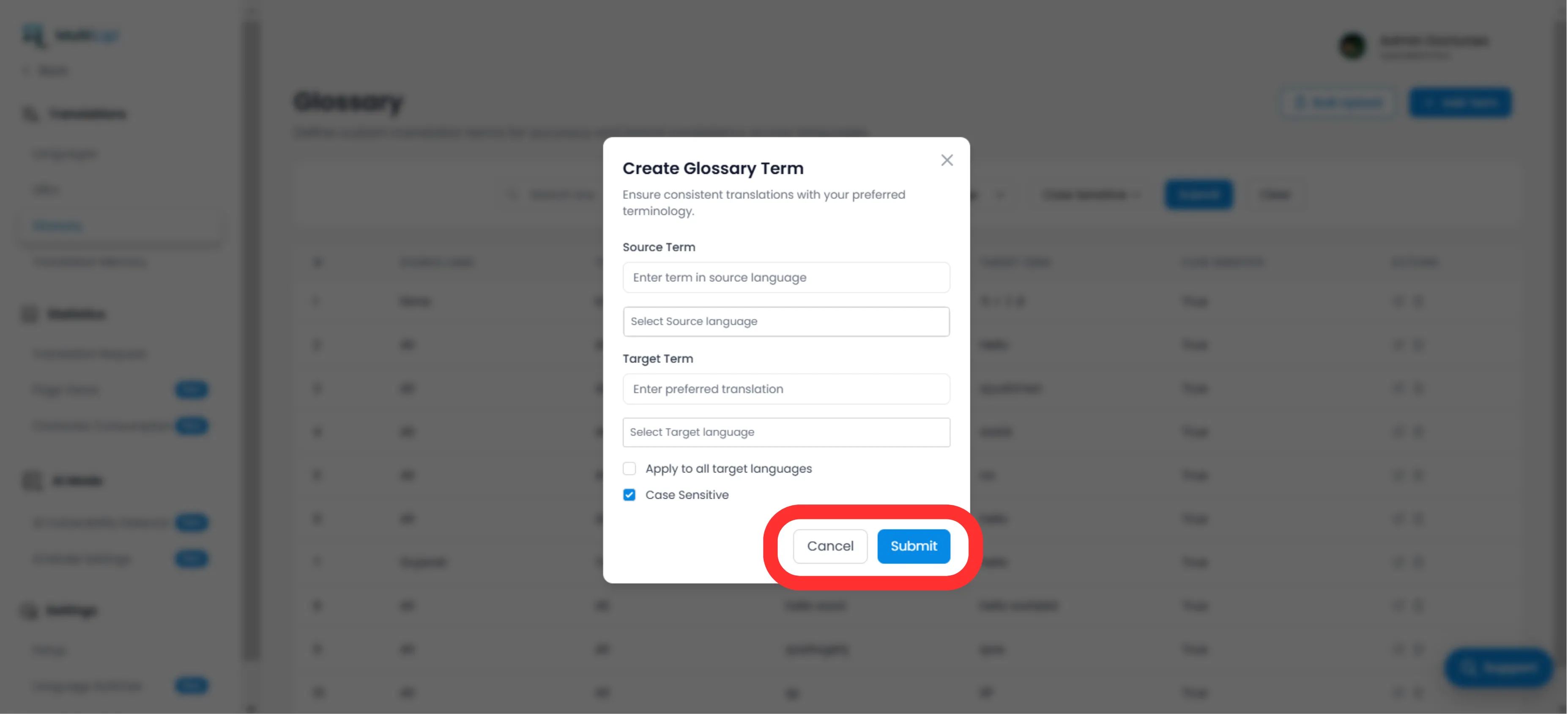
Defina a Regra
Termo de origem
A palavra ou expressão exata na sua língua original (por exemplo, "CloudDrive").
Prazo-alvo
A tradução obrigatória (por exemplo, "CloudDrive" - mantê-lo em inglês, ou "Le CloudDrive").
Âmbito da Língua
Específico
Candidate-se apenas a EN → FR.
Global
Selecione "Todas as Línguas" para garantir um nome de marca em todo o mundo.
Sensibilidade a maiúsculas minúsculas
Ativado
Jogos "Maçã" mas ignora "maçã". Essenciais para palavras comuns que também são nomes próprios.
Desdobramento
Clique em Enviar. A regra é Empurrado instantaneamente para o motor de tradução e aplicar-se-á a todas as futuras traduções.
Método 2: Ingestão em Massa (Upload de CSV)
Melhor para:
Migração de bases de termos legados, dicionários jurídicos ou listas de produtos de comércio eletrónico.
Se tiveres centenas de mandatos, não os introduza manualmente. Use o nosso Ferramenta de importação CSV.
Prepare os Seus Dados
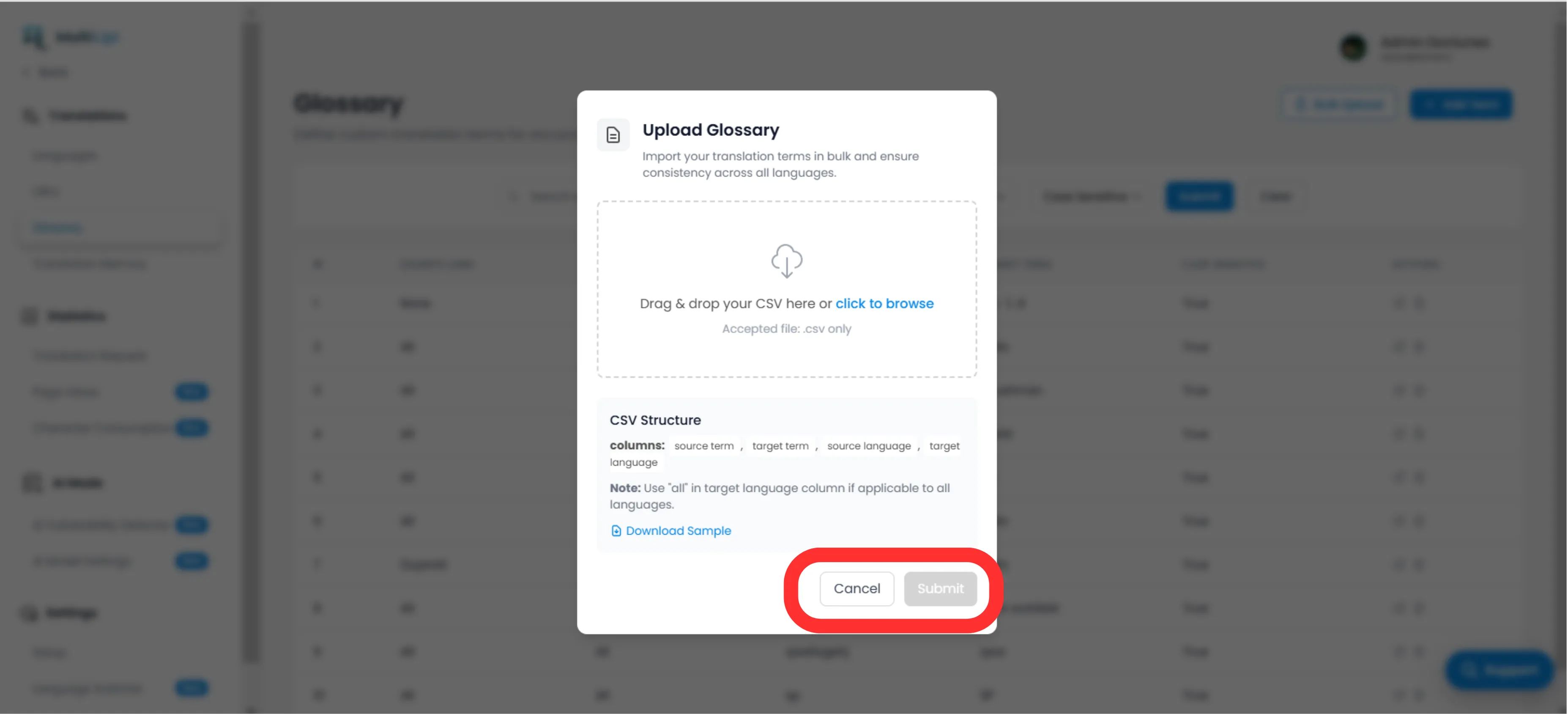
Crie um ficheiro CSV com a seguinte estrutura de cabeçalho:
termo_origem, termo_destino, idioma_origem, idioma_destinoObservação
Utilização Códigos ISO para línguas (por exemplo, pt, Fr, de). Utilização tudo para regras globais.
Carregar
Clique no botão Carregar no painel do Glossário.
Mapear & Validar
Seleciona o teu ficheiro. O sistema vai Analisar as linhas e assinala quaisquer erros de formatação.
Executar
Clique em Enviar para integrar as regras na sua Base Temporária Ativa.
Melhores Práticas Estratégicas
Tranque a Sua Marca
A primeira regra que deves criar é para o teu Nome da Empresa. Defina o alvo para ser Idêntico à fonte e aplicá-lo a Todas as Línguas.
Palavras-chave SEO
Se estiveres a apontar para um específico palavra-chave de alto volume na Alemanha (por exemplo, "Prático" Em vez de "Mobiltelefon"), crie uma regra de glossário para forçar a locomotiva a usar o termo de maior tráfego.
Seja Breve
Os glossários funcionam melhor para Frases de 1-3 palavras. Não os use para frases inteiras; Usar o Memória de tradução quer Visual Editor por isso.
Pronto para impor a consistência da marca? Abrir o Gestor do Glossário E comece já a definir os seus limites de tradução.