
Numa infraestrutura global, o atrito é o inimigo da conversão. Se um utilizador de Paris visitar o seu site, não deve ter de encontrar manualmente um ícone de bandeira para mudar para francês. O MultiLipi Redirecionador de Língua do Visitante atua como um controlador de tráfego inteligente. Inspeciona o pedido recebido Accept-Language cabeçalho (localidade do navegador) e encaminha instantaneamente o utilizador para a versão localizada correspondente do seu site (por exemplo, fr.yoursite.com).
Este guia detalha a protocolo de configuração para ativar esta camada de roteamento automatizada.
1. A Lógica de Roteamento
Como funciona a deteção.
Deteção:
Um utilizador acede a oseudominio.com.
Inspeção:
O motor lê as definições do navegador (por exemplo, fr-FR).
Roteamento:
Se o francês for uma língua ativa no seu projeto, o sistema executa imediatamente um Redirecionamento Temporário 302 para o subdomínio francês.
Fallback:
Se a língua do utilizador não for suportada, este permanece na língua padrão (Origem).
2. Protocolo de Configuração
Ative esta funcionalidade diretamente a partir do centro de comando do seu projeto.
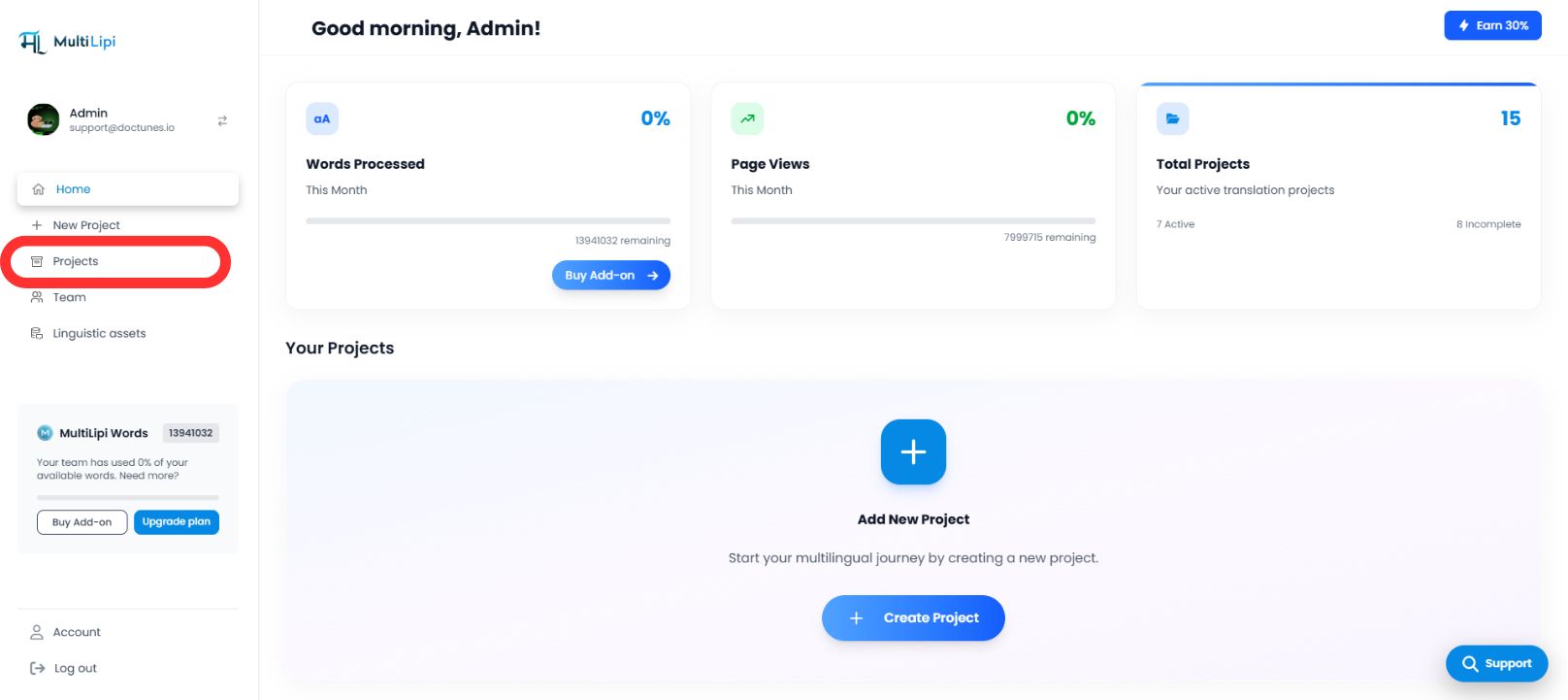
Passo 1: Aceder ao Painel do Projeto
- •Inicie sessão no seu painel MultiLipi.
- •Navegue para a barra lateral esquerda e clique em Projetos para ver o seu portfólio ativo.
Passo 2: Selecionar Projeto de Destino
- •Localize o domínio específico que pretende configurar.
- •Clique no Tile do Projeto para entrar na sua consola de gestão específica.
Passo 3: Aceder à Configuração de Instalação
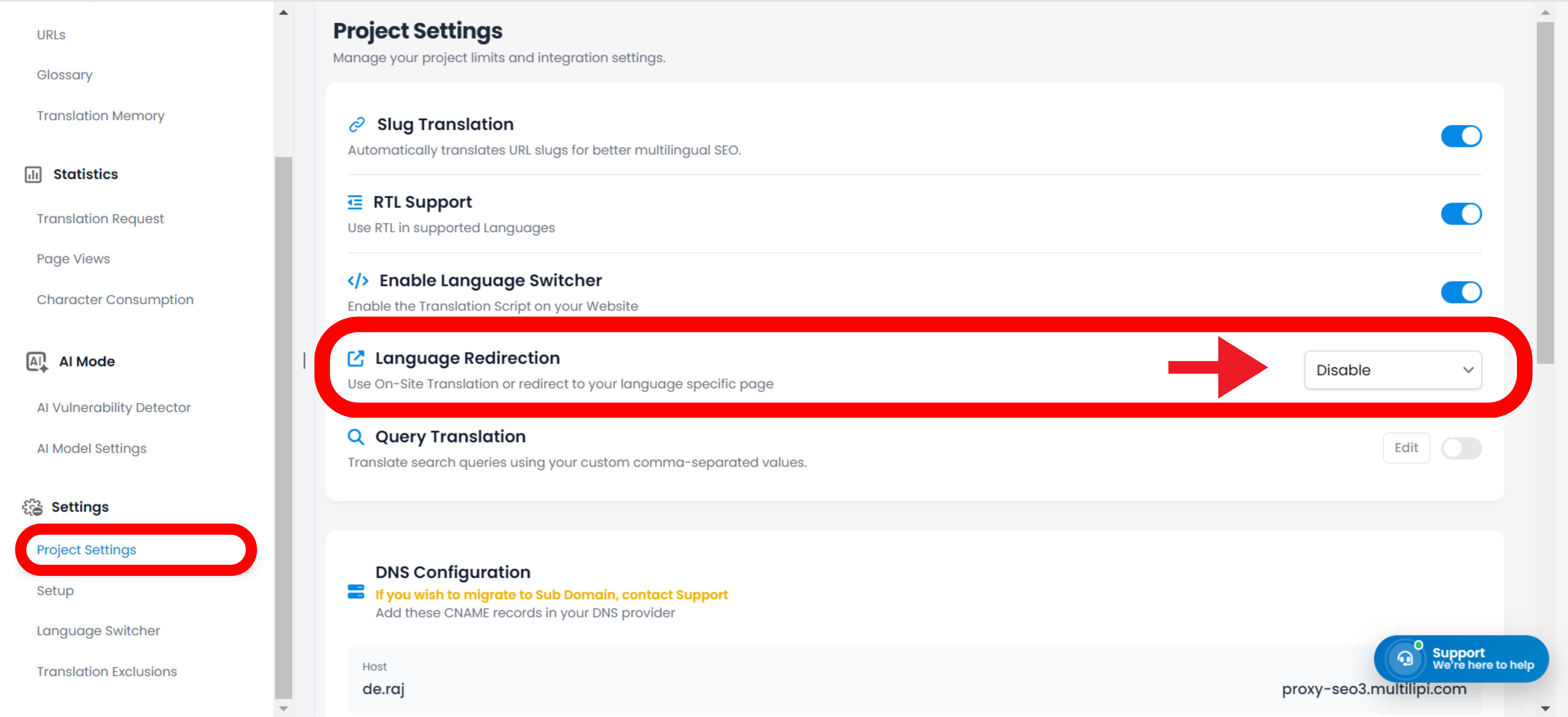
- •Na barra lateral esquerda da vista do projeto, clique em Definições.
- •A partir do menu suspenso ou sub-menu, selecione Configurações do Projeto.
Passo 4: Ativar Roteamento
- •Percorra o painel de configuração até encontrar o "Redirecionador de Idioma do Visitante" opção.
- •Ação: Alterne o interruptor para
LIGADO. - •Resposta do Sistema: O motor de roteamento está agora ativo. Novos visitantes serão automaticamente redirecionados com base na preferência do seu navegador.
Configuração Concluída – Motor de Roteamento Ativo
3. Benefícios Estratégicos
Porquê automatizar este processo?
Redução da Taxa de Rejeição:
Os utilizadores são menos provável de sair imediatamente se virem conteúdo na sua língua nativa nos primeiros segundos.
Velocidade de Conversão:
Remover o "interruptor manual" passo acelera a jornada do utilizador desde o acesso até ao checkout.
Fallback Inteligente:
O sistema está não intrusivo; só redireciona se existir uma tradução correspondente, garantindo que nenhum utilizador chega a um beco sem saída.
A Linha de Fundo:
O redirecionamento automático de idioma transforma o seu site de um portal de tradução passiva num motor de localização inteligente que antecipa as necessidades do utilizador antes mesmo de este clicar.