

Injete a localização empresarial no ecossistema Wix.
Wix é um construtor visual poderoso, mas as suas ferramentas de tradução nativas podem ser manuais e restritivas. A MultiLipi integra-se diretamente no Camada de Cabeçalho Wix, permitindo-lhe contornar estes limites. Ao injetar o nosso script de infraestrutura, ativa instantaneamente a tradução por IA e a indexação automática de SEO para todo o seu site sem alterar o seu design existente ou código Velo.
Este guia detalha o processo de integração utilizando o Código Personalizado funcionalidade.
1. Pré-requisitos de Implementação
O Wix restringe a injeção de código a contas premium. Certifique-se de que cumpre estes requisitos:
Plano Wix
Tem de estar num Plano Premium (Light, Core, Business, etc.) que suporta domínios conectados.
Estado do Domínio
O seu site deve ter um domínio personalizado conectado (por exemplo, yoursite.com). O script não será executado em contas gratuitas .wixsite.com subdomínios.
Chave API MultiLipi
Localize isto no seu Painel de Controlo em Definições > Geral.
2. Passo 1: Aceder à Camada de Injeção de Código
- 1
Inicie sessão na sua Dashboard Wix.
- 2
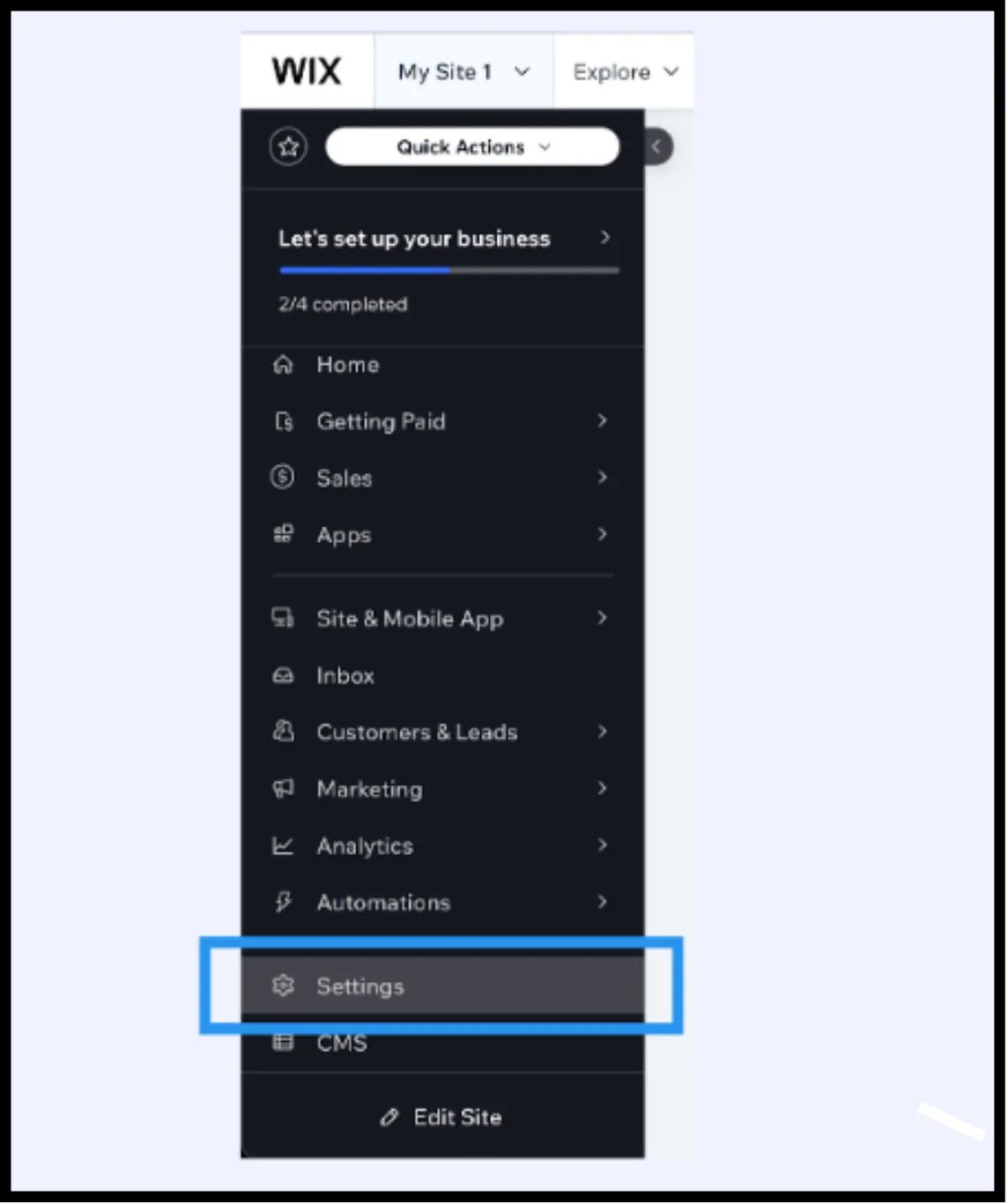
Navegue até Definições na barra lateral esquerda.
- 3
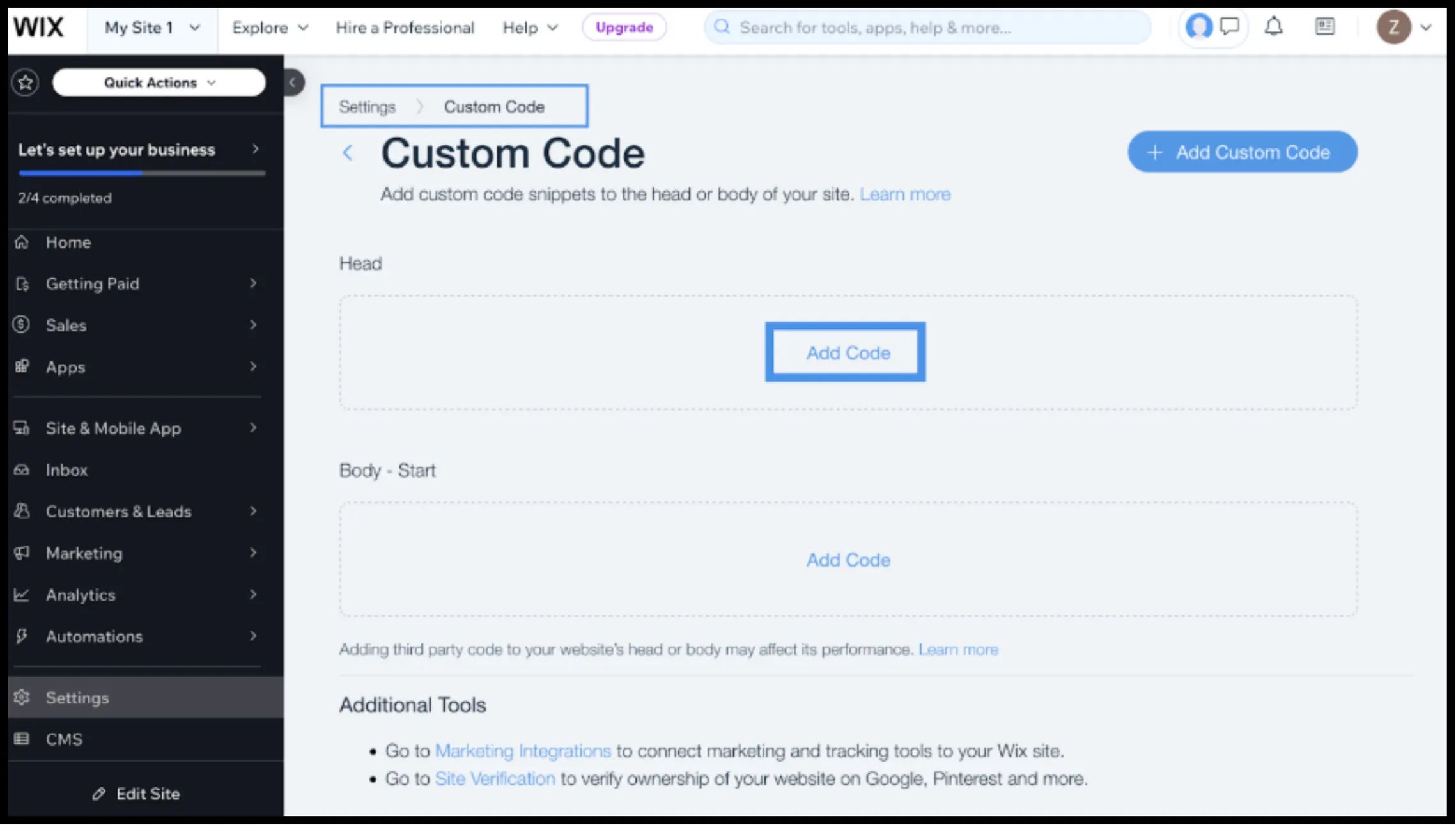
Desloque-se para baixo até à secção Avançado secção e selecione Código Personalizado.
3. Passo 2: Injetar o Script de Infraestrutura
- 1
Clique no + Adicionar Código Personalizado botão no canto superior direito.
- 2
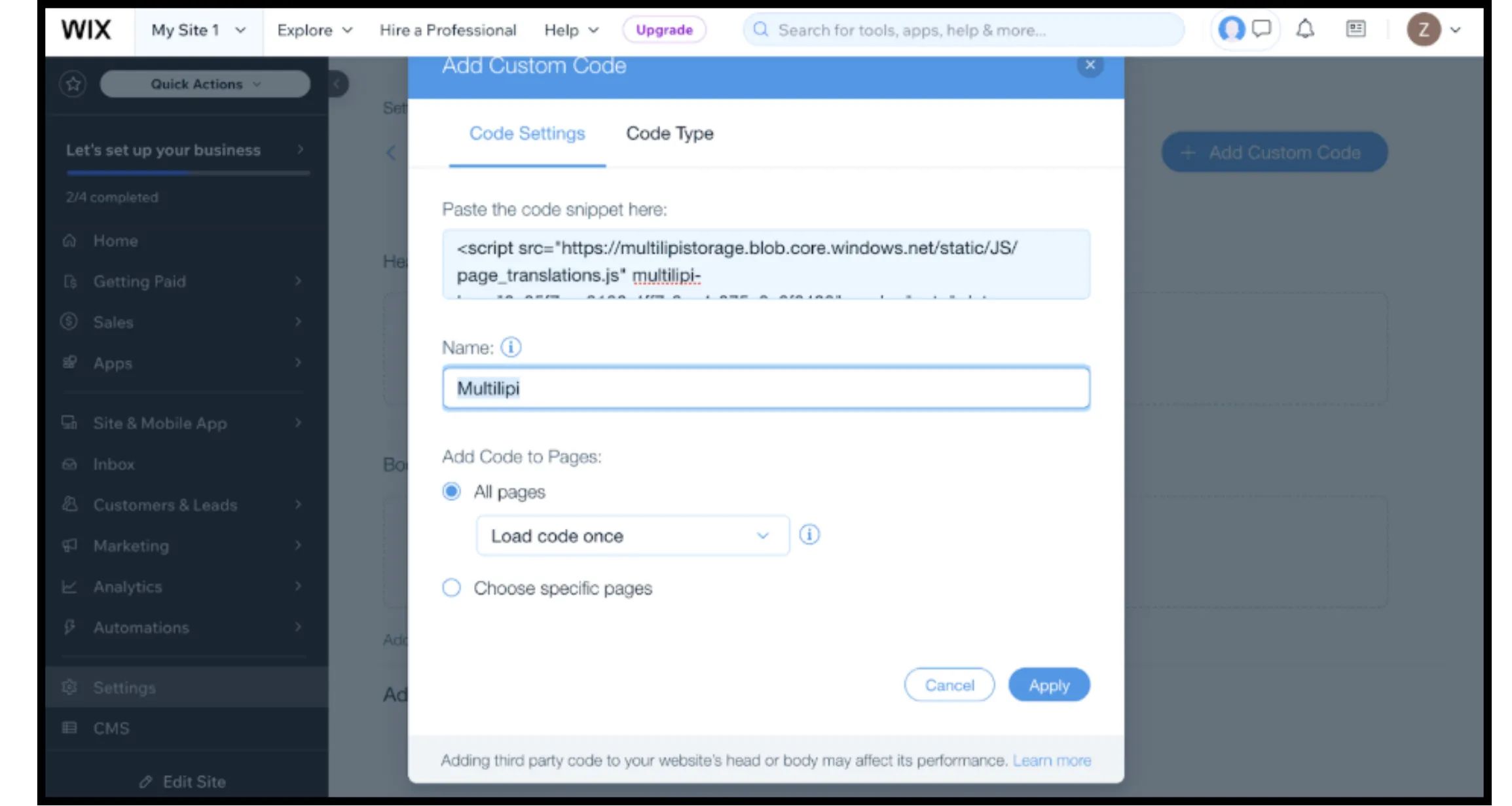
Colar Fragmento de Código: Insira o seguinte script de conexão na caixa de texto:
HTML<script src="https://multilipistorage.blob.core.windows.net/static/js/page_translations.js" key="YOUR_API_KEY_HERE" ></script>
⚠️ Configuração Crítica
- •Colar Snippet: Certifique-se de que substitui
SUA_CHAVE_DE_API_AQUIcom a sua chave real. - •Nome: Rotule-o como "Infraestrutura MultiLipi".
- •Adicionar Código a Páginas: Selecionar "Todas as Páginas" e "Carregar código uma vez". Isto é vital para o desempenho de Aplicações de Página Única (SPA).
- •Colocar Código em: Selecionar "Head".
- •Clique Aplicar.
4. Passo 3: Implementação e Verificação
Os sites Wix são fortemente cacheados. Siga este protocolo para verificar a instalação:
Publicar
Tem de clicar Publicar no Editor Wix para que o código personalizado entre em vigor.
Verificar
Abra o seu domínio ativo (preferencialmente numa janela anónima para contornar a cache local).
Verificação Visual
O Language Switcher deverá aparecer no canto inferior esquerdo.
Verificação de Comportamento
Mudar idiomas e navegar para uma nova página. A preferência de idioma deve persistir.
5. Otimização e Integridade do Design
Assim que a integração estiver ativa, a MultiLipi trabalha para preservar o seu design Wix:
Compatibilidade Velo
O nosso motor funciona em conjunto com Wix Velo (JavaScript), garantindo que o conteúdo dinâmico é traduzido sem quebrar a funcionalidade.
Proteção do Design
Se uma tradução alemã for demasiado longa para um botão específico, utilize a Editor Visual para encurtar o texto manualmente, evitando alterações de layout.
Automação de SEO
Ao contrário das traduções padrão do Wix, o MultiLipi trata automaticamente hreflang sinais necessários para que o Google indexe corretamente as suas páginas localizadas.