
A colaboração é essencial para a escala global, mas a segurança dos dados é primordial. O MultiLipi's Espaço de Trabalho da Equipa permite-lhe fornecer acesso a tradutores, programadores e gestores de projeto sem partilhar credenciais de início de sessão sensíveis. Pode atribuir permissões granulares , garantindo que os membros da equipa interajam apenas com os projetos e ferramentas específicas necessárias para a sua função.
Este guia abrange o ciclo de vida da gestão de utilizadores: Provisionamento , Auditoria , e Desprovisionamento .
Controlo de Acesso Baseado em Funções (RBAC)
Nunca partilhe as suas credenciais mestras. Em vez disso, crie contas individualizadas com permissões adaptadas às responsabilidades de cada utilizador. Isto garante registos de auditoria completos e a capacidade de revogar o acesso instantaneamente quando os membros da equipa transitam.
1. Aceder ao Diretório da Equipa
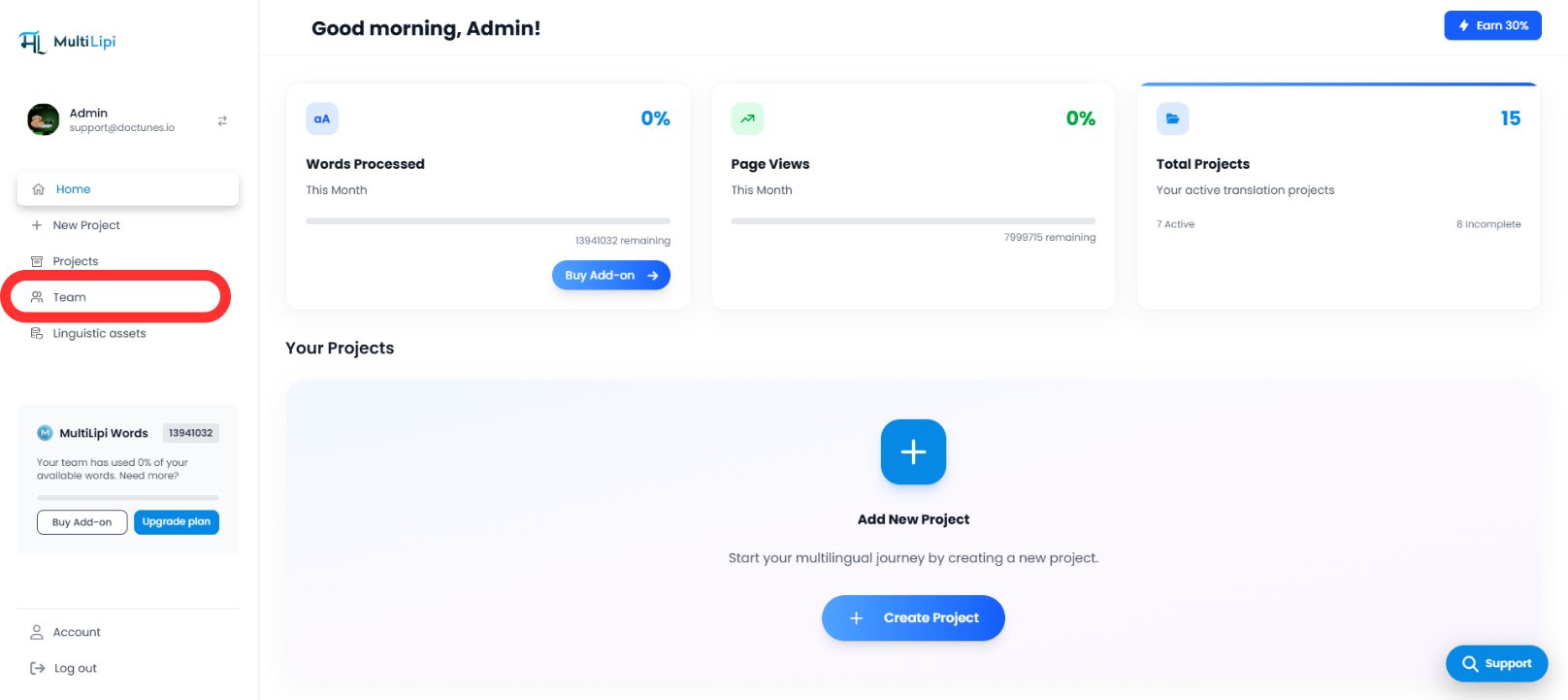
O separador Equipa serve como centro de comando central para todas as permissões de utilizador.
Navegar
No painel lateral do seu MultiLipi Dashboard, selecione Equipa .
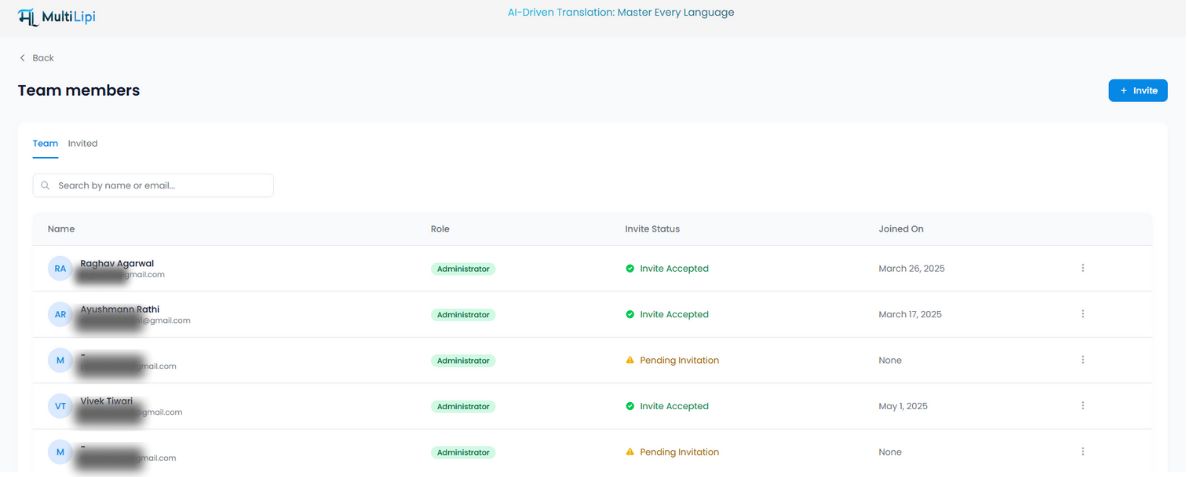
Vista de Auditoria
Verá uma tabela unificada listando todos os utilizadores ativos, as suas funções atribuídas, escopo de acesso (domínios específicos) e estado atual (" Ativo vs. Convite Pendente ).
2. Provisionamento de Acesso (Convite de Membros)
Para integrar um novo colaborador:
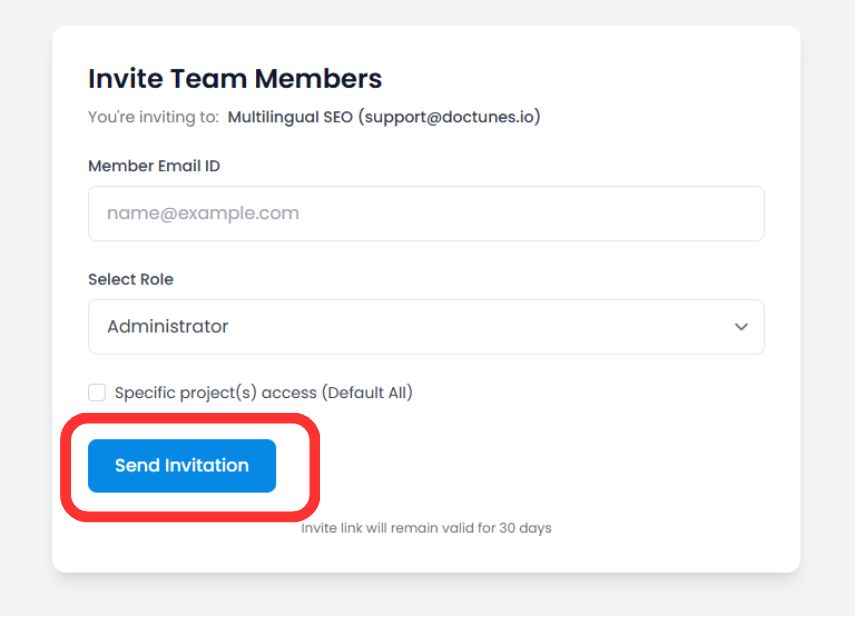
Iniciar Convite
Clique no Convidar botão no canto superior direito do espaço de trabalho.
Definir Credenciais
Introduzir o endereço de e-mail corporativo do utilizador.
Atribuição de Função
Selecionar o nível de privilégio apropriado (por exemplo, Administrador , para controlo total, Colaborador apenas para edição de tradução).
Âmbito do Projeto (Opcional)
Restrinja o utilizador a domínios específicos (por exemplo, Atribua "Tradutor A" apenas ao projeto alemão).
Implementar Convite
Clique Convidar por E-mail .
Nota de Segurança
O link de convite seguro expira automaticamente em 30 dias para prevenir o acesso não autorizado a partir de links expirados.
3. Gestão de Ciclos de Vida de Acesso
A governação é um processo contínuo. Pode modificar ou revogar permissões instantaneamente à medida que as estruturas da equipa mudam.
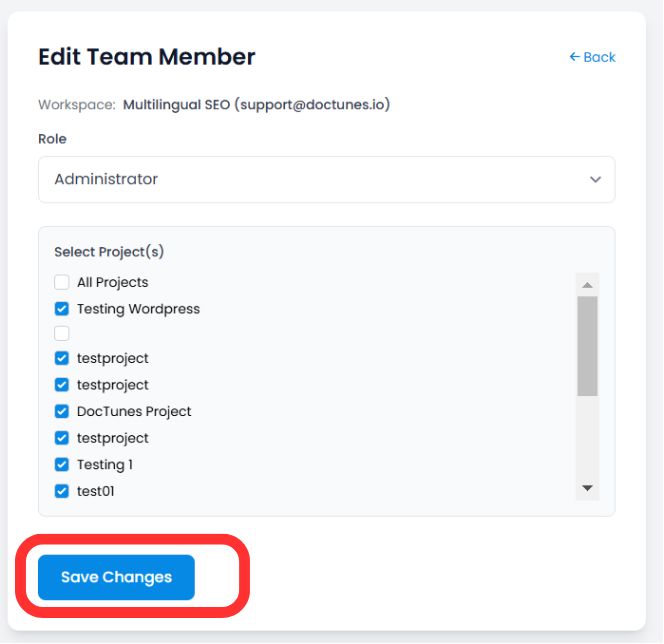
Modificar Funções (A Função "Editar")
Se um utilizador necessitar de privilégios elevados ou acesso a um novo projeto:
Localize o utilizador no Equipa tabela.
Clique no Três Pontos (⋮) ícone na coluna Ações.
Selecionar Editar .
Atualizar a sua Função or Atribuição de Projeto e clicar em Guardar Alterações . As novas permissões aplicam-se imediatamente.
Revogação de Acesso (Desligamento)
Quando um membro da equipa sai ou um contrato termina, proteja a sua conta imediatamente:
Passo 1
Clique no Ícone de Lixo/Remover na coluna Ações.
Passo 2
Confirmar a remoção.
Impacto
A sessão do utilizador é terminada e ele perde o acesso ao painel de controlo instantaneamente .
Resumo: Melhores Práticas de Colaboração
| Ação | Melhor Prática |
|---|---|
| Atribuição de Função | Use o Princípio do Menor Privilégio . Conceda acesso de Administrador apenas a partes interessadas de confiança. |
| Escopo do Projeto | Isole agências externas em projetos específicos para impedir que visualizem dados não relacionados. |
| Auditorias Periódicas | Rever o separador Equipa mensal , para remover utilizadores inativos ou convites pendentes. |
🔒 Segurança em Escala: Ao implementar RBAC granular, garante que as suas operações de tradução podem escalar globalmente sem comprometer a integridade dos dados ou expor informações sensíveis do projeto a membros da equipa não autorizados.